This is a simple guide for working FT4 mode via satellite with the help of SDR-Console software, a SDR receiver and Icom IC-705 as transmitter. The IC-705 can of course be replaced by any other radio that can be controlled via OmniRig.
I have also tested this with an ICOM IC-9700 with equal good result.
The “magic” is done by Omnirig. This smart little software can connect several software to one radio at the same time, in this case SDR-Console and WSJT-X.
This guide requires that you have basic knowledge of the following:
WSJT-X and FT4 operation
SDR-Console V3 satellite operation
IC-705 operation (or other radio if you like)
Audio piping between several software
Basic operation with OmniRig
Step 1 – Setup SDR-Console and IC-705 with correct frequency
First you need correct frequency for SDR-Console and IC-705. You can download and use the prepared files from this site. Start SDR-Console and set the downlink (USB) to the satellite you would like to use. Set the IC-705 to the uplink of the satellite, note it has to be LSB-D (LSB with data mode).
Step 2 – Config WSJT-X
Start WSJT-X and config as following:
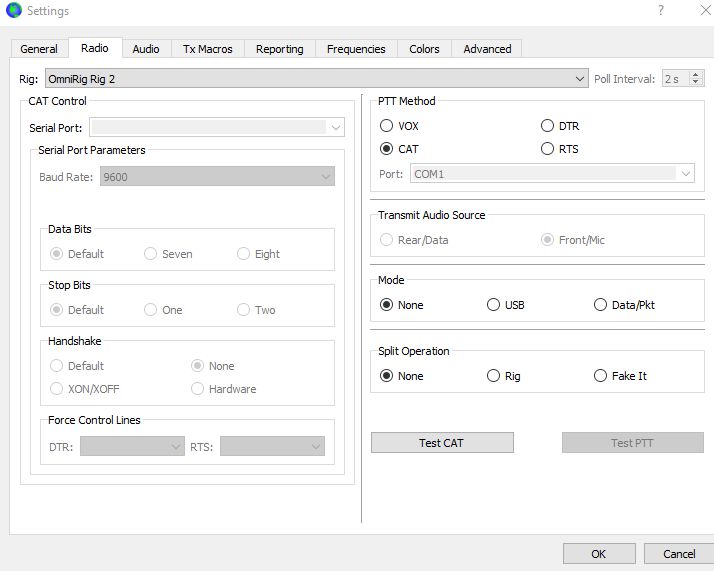
Rig should be Omnirig and your setup for IC-705
Mode should be “None” to avoid WSJT-X to set the rig to USB-D
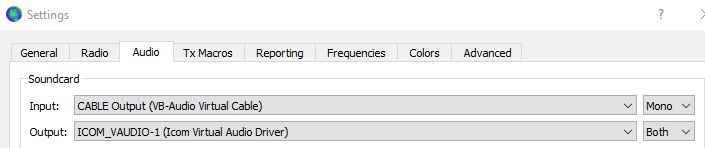
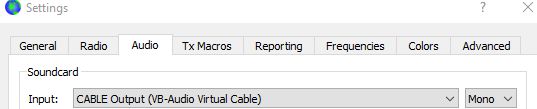
Soundcard Input should be the virtual audio from SDR-Console
Soundcard Output should be the IC-705 mic
Step 3 – Start Satellite External Radio in SDR-Console
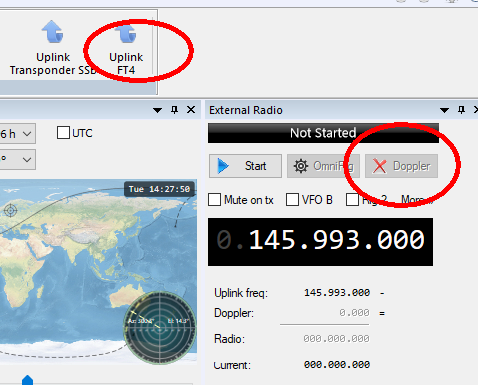
Now start the “Satellite External Radio” in SDR-Console. Select the same OmniRig radio as in WSJT-X. Select the correct uplink frequency and turn on Doppler correction in External Radio.
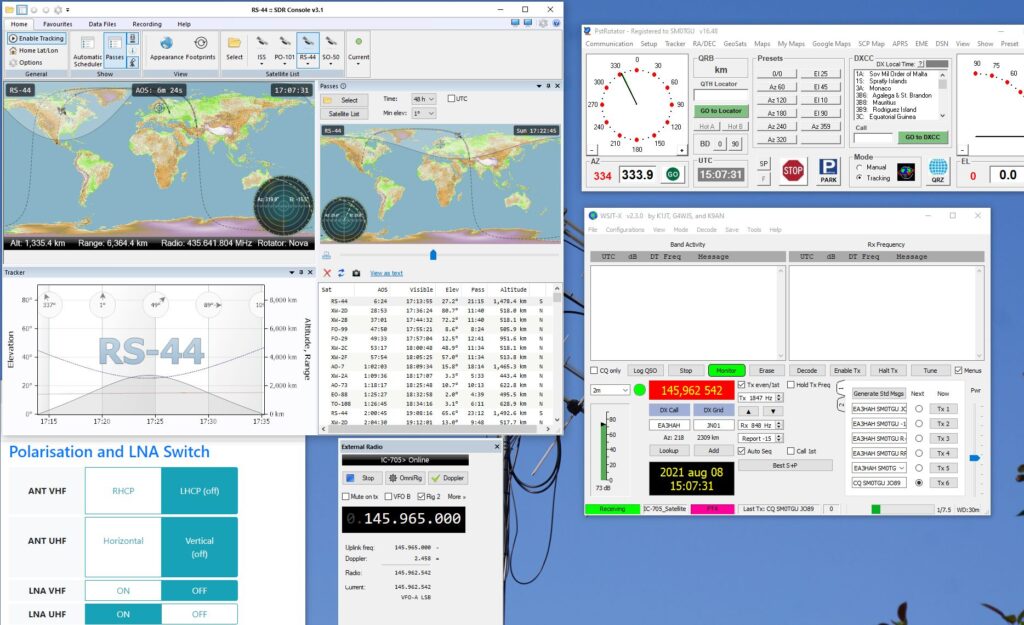
Now the magic happens! SDR-Console is starting to doppler correct the frequency of the IC-705 and WSJT-X reads the correct frequency from IC-705 in real time!
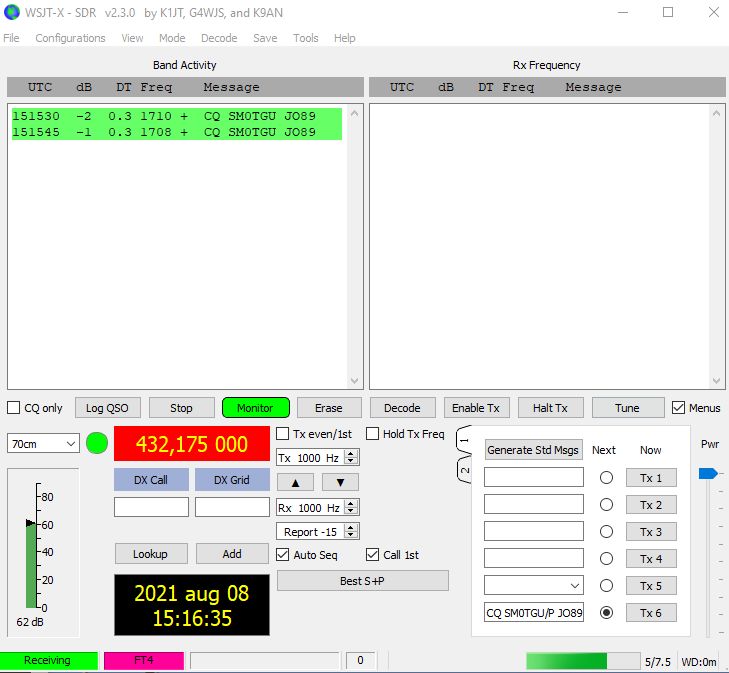
In this image you can see External Radio and WSJT-X with correct frequency:
Step 4 – Select correct RX frequency in SDR-Console
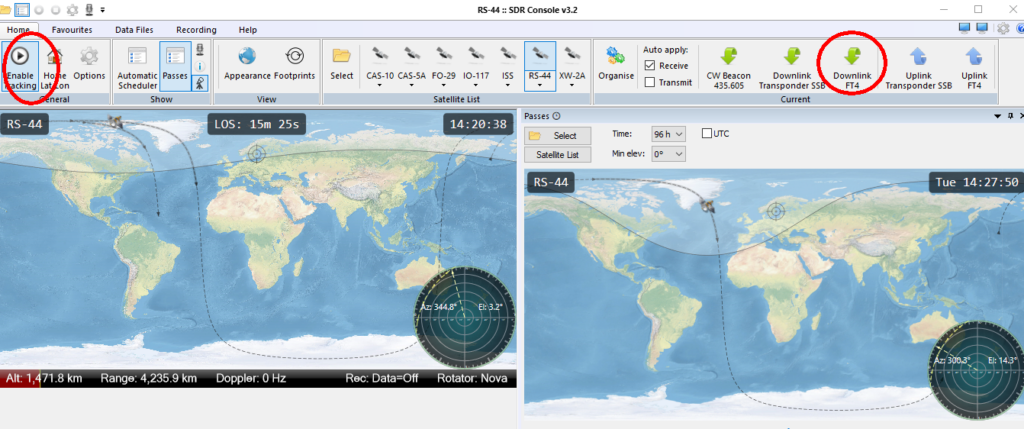
Select the correct downlink frequency in SDR-Console and enable Tracking in the Satellite Window for the satellite. Now wait for the satellite to be in your footprint.
Step 5 – Find yourself on the satellite transponder
When the satellite is in your footprint, you need to manually adjust the TX-frequency (at the External Radio window) and RX-frequency, as the SDR-Console software does not have a “tracking RX/TX VFO” function.
Find a free area on the satellite transponder
Turn your TX output to very low
Start transmitting FT4 or use the Tune function in WSJT-X
Adjust TX/RX so that your signal is in your RX bandwidth
Step 6 – Start calling CQ
Now you are ready to start calling CQ and making QSOs! Remember – use the minimum TX power, FT4 is very effective. And be sure not to call over a CW or SSB station.
How to use a 2nd instance of WSJT-X for RX of your own FT4 signal
If you would like to check your own FT4 signal (for testing and learning) it is possible to start a 2nd instance of WSJT-X as receiving only.
Create a new configuration in WSJT-X where Radio->Rig should be set to None and Audio Input should be the piped audio from SDR-Console. Save it to a name of your choice {your_configuration_name}
After you have started WSJT-X for the TX (see above) start a 2nd instance with this command in a cmd window: {path_to_your_wsjtx}wsjtx.exe –rig-name={your_configuration_name}
Now when you TX your FT4 signal the 2nd instance will decode your own signal. See the example below:
Finally, below is a recorded video of a test via satellite AO-73 decoded with a 2nd instance. If you have any questions about this setup please contact AMSAT-SM (Lars SM0TGU) at info@amsat.se
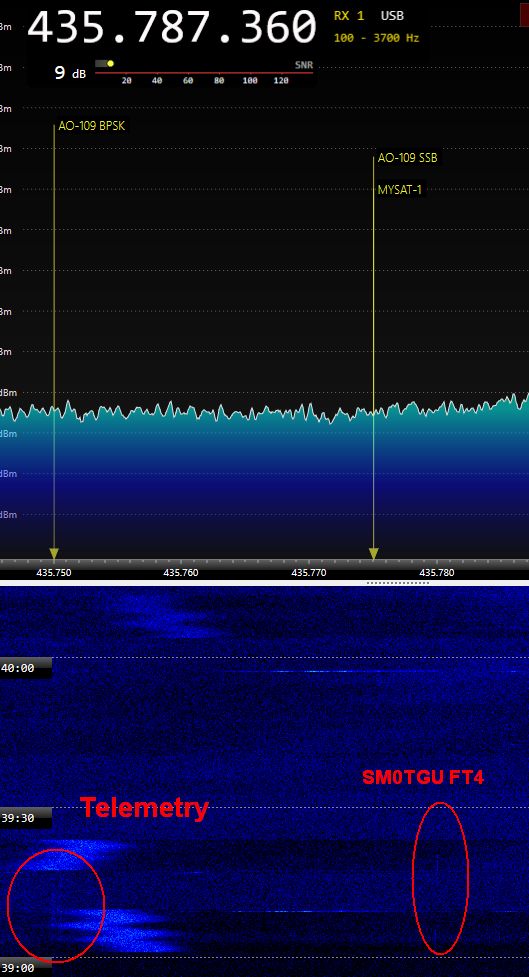
During a high elevation passage over Stockholm area I managed to copy a very weak fraction of the AO-109 telemetry and two weak spots of my own FT4 signals. The FT4-signal was too weak to be able to decode.
I was using a Airspy Mini with SDR-Console V3 with 2*6 el Vårgårda Yagi in RHCP or LHCP on the downlink.
On the uplink I was using a IC-705 with 10 watts output to a 13 el LFA UHF X-Yagi.
The AMSAT Engineering and Operations Teams are pleased to announce that AO-109 (RadFxSat-2/AMSAT Fox-1E) is now open for amateur use. Users are advised to use efficient modes such as CW or FT4 for making contacts, since issues with the satellite make SSB voice contacts challenging at best.
Please see the May/June 2021 issue (Vol. 44, No. 3) of The AMSAT Journal for an article by Burns Fisher, WB1FJ, and Mark Hammond, N8MH, detailing the various attempts to characterize AO-109 and its apparent problems.
On behalf of the Engineering and Operations Teams–
[ANS thanks AMSAT Vice President – Engineering Jerry Buxton, N0JY, and AMSAT Vice President – Operations Drew Glasbrenner, KO4MA, for the above information]