This is a simple guide for working FT4 mode via satellite with the help of SDR-Console software, a SDR receiver and Icom IC-705 as transmitter. The IC-705 can of course be replaced by any other radio that can be controlled via OmniRig.
I have also tested this with an ICOM IC-9700 with equal good result.
The “magic” is done by Omnirig. This smart little software can connect several software to one radio at the same time, in this case SDR-Console and WSJT-X.
This guide requires that you have basic knowledge of the following:
WSJT-X and FT4 operation
SDR-Console V3 satellite operation
IC-705 operation (or other radio if you like)
Audio piping between several software
Basic operation with OmniRig
Step 1 – Setup SDR-Console and IC-705 with correct frequency
First you need correct frequency for SDR-Console and IC-705. You can download and use the prepared files from this site. Start SDR-Console and set the downlink (USB) to the satellite you would like to use. Set the IC-705 to the uplink of the satellite, note it has to be LSB-D (LSB with data mode).
Step 2 – Config WSJT-X
Start WSJT-X and config as following:
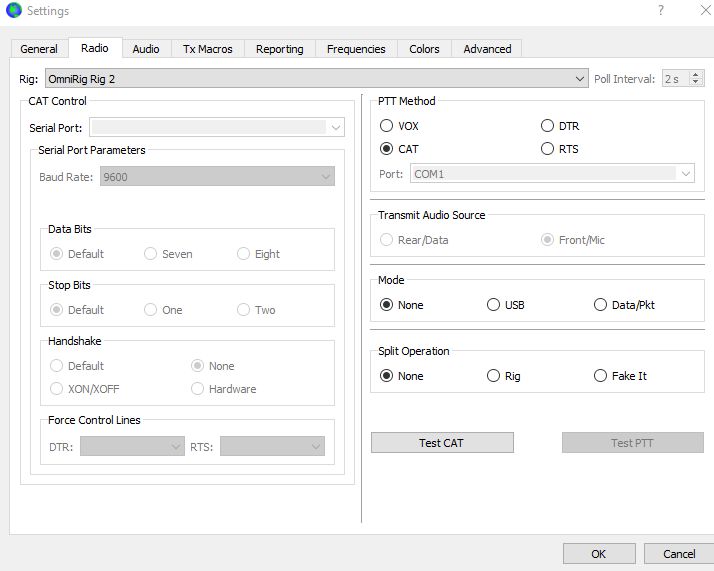
Rig should be Omnirig and your setup for IC-705
Mode should be “None” to avoid WSJT-X to set the rig to USB-D
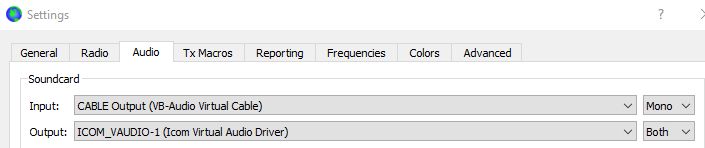
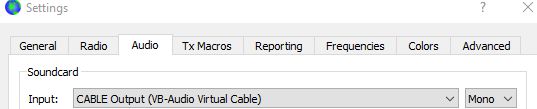
Soundcard Input should be the virtual audio from SDR-Console
Soundcard Output should be the IC-705 mic
Step 3 – Start Satellite External Radio in SDR-Console
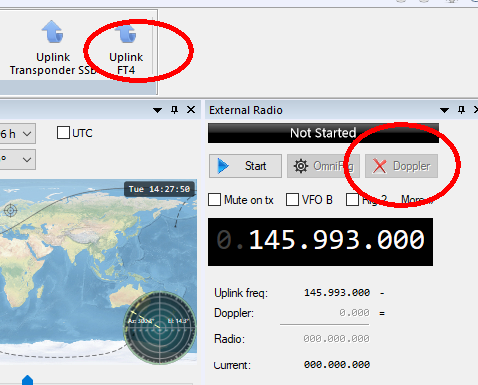
Now start the “Satellite External Radio” in SDR-Console. Select the same OmniRig radio as in WSJT-X. Select the correct uplink frequency and turn on Doppler correction in External Radio.
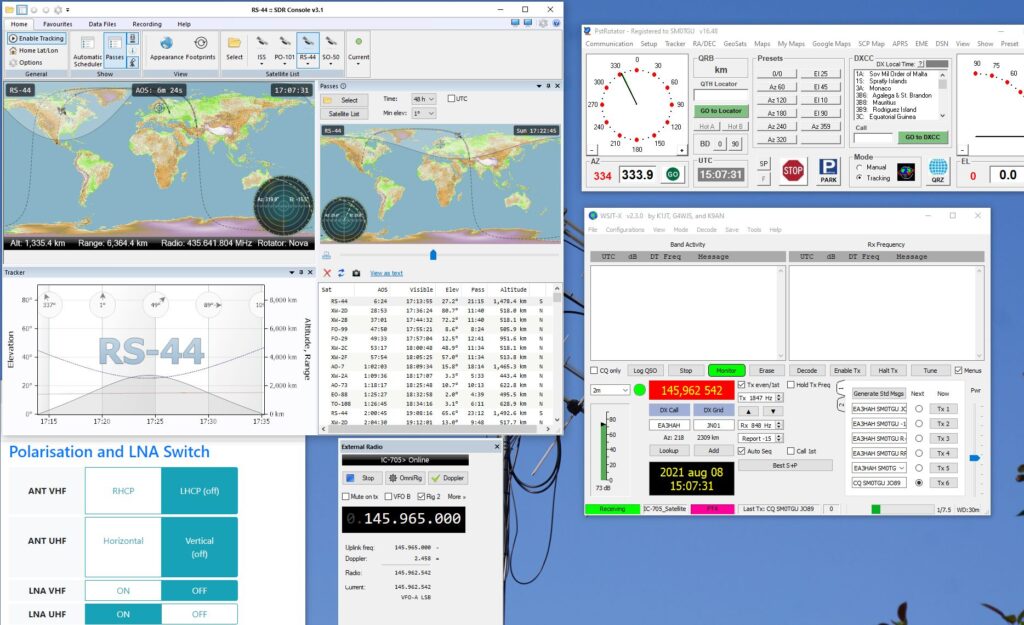
Now the magic happens! SDR-Console is starting to doppler correct the frequency of the IC-705 and WSJT-X reads the correct frequency from IC-705 in real time!
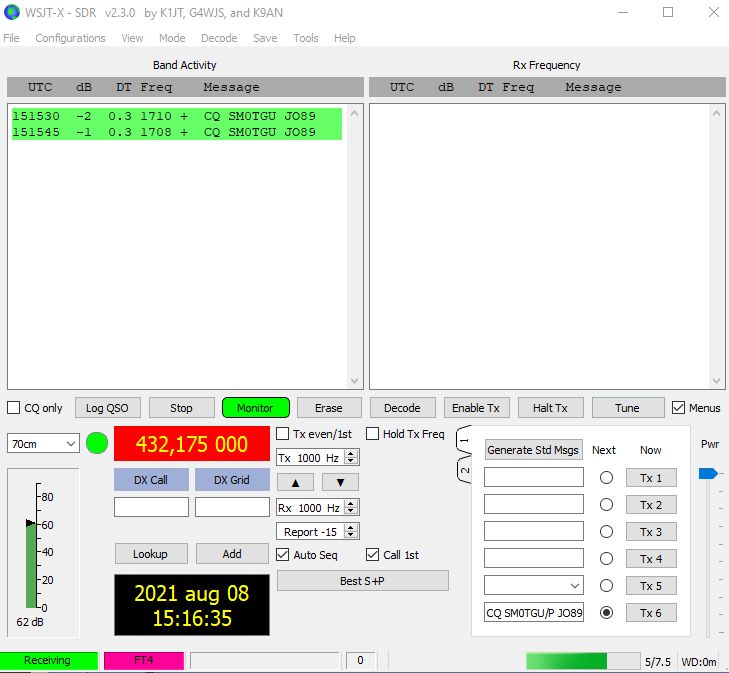
In this image you can see External Radio and WSJT-X with correct frequency:
Step 4 – Select correct RX frequency in SDR-Console
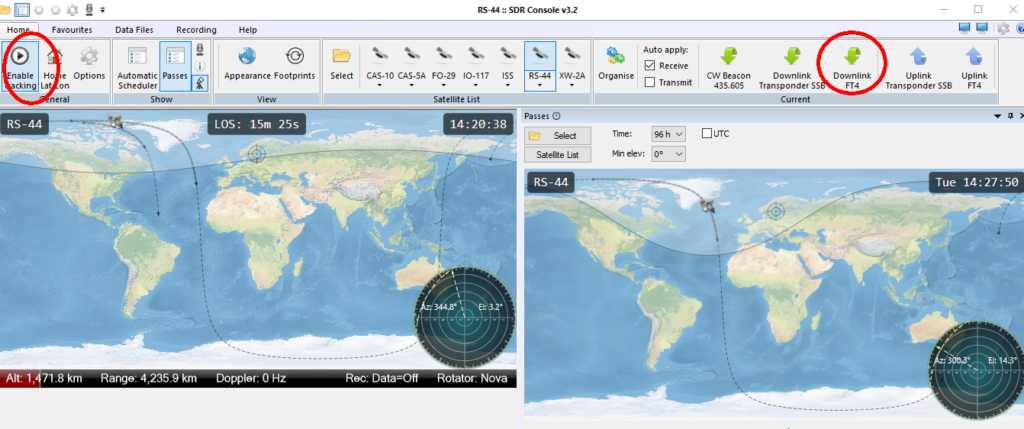
Select the correct downlink frequency in SDR-Console and enable Tracking in the Satellite Window for the satellite. Now wait for the satellite to be in your footprint.
Step 5 – Find yourself on the satellite transponder
When the satellite is in your footprint, you need to manually adjust the TX-frequency (at the External Radio window) and RX-frequency, as the SDR-Console software does not have a “tracking RX/TX VFO” function.
Find a free area on the satellite transponder
Turn your TX output to very low
Start transmitting FT4 or use the Tune function in WSJT-X
Adjust TX/RX so that your signal is in your RX bandwidth
Step 6 – Start calling CQ
Now you are ready to start calling CQ and making QSOs! Remember – use the minimum TX power, FT4 is very effective. And be sure not to call over a CW or SSB station.
How to use a 2nd instance of WSJT-X for RX of your own FT4 signal
If you would like to check your own FT4 signal (for testing and learning) it is possible to start a 2nd instance of WSJT-X as receiving only.
Create a new configuration in WSJT-X where Radio->Rig should be set to None and Audio Input should be the piped audio from SDR-Console. Save it to a name of your choice {your_configuration_name}
After you have started WSJT-X for the TX (see above) start a 2nd instance with this command in a cmd window: {path_to_your_wsjtx}wsjtx.exe –rig-name={your_configuration_name}
Now when you TX your FT4 signal the 2nd instance will decode your own signal. See the example below:
Finally, below is a recorded video of a test via satellite AO-73 decoded with a 2nd instance. If you have any questions about this setup please contact AMSAT-SM (Lars SM0TGU) at info@amsat.se
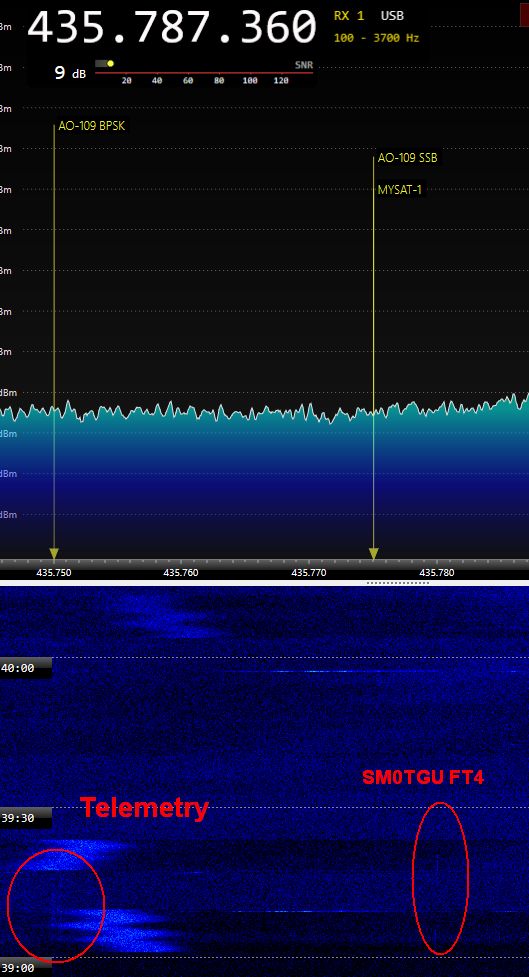
During a high elevation passage over Stockholm area I managed to copy a very weak fraction of the AO-109 telemetry and two weak spots of my own FT4 signals. The FT4-signal was too weak to be able to decode.
I was using a Airspy Mini with SDR-Console V3 with 2*6 el Vårgårda Yagi in RHCP or LHCP on the downlink.
On the uplink I was using a IC-705 with 10 watts output to a 13 el LFA UHF X-Yagi.