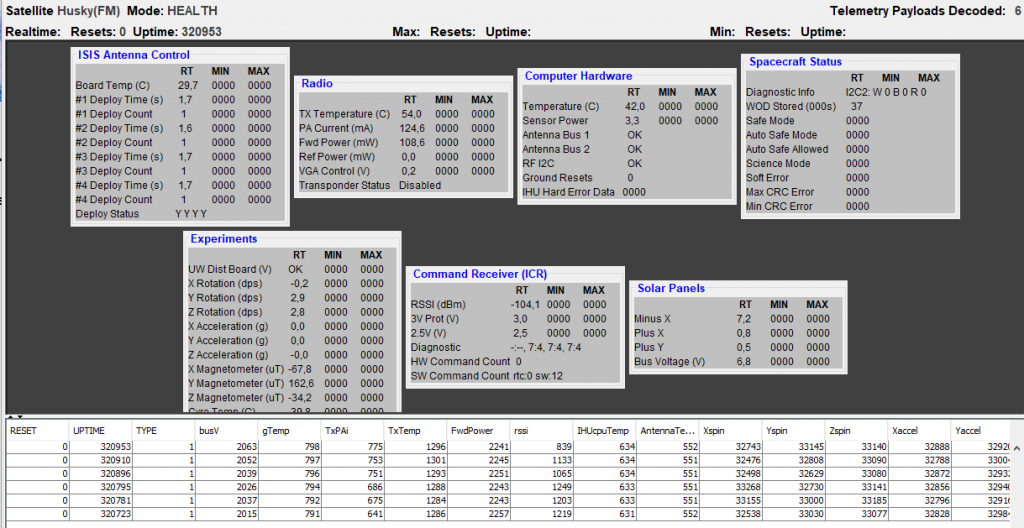
#huskysat1 first decode from Sweden. 25 degree el pass, USB at 435.799 MHz. Use of latest FoxTelemetry software.
 AMSAT-SM - Official Website of AMSAT-SM Sweden
Webmaster and member of the AMSAT-SM steering group.
#huskysat1 first decode from Sweden. 25 degree el pass, USB at 435.799 MHz. Use of latest FoxTelemetry software.
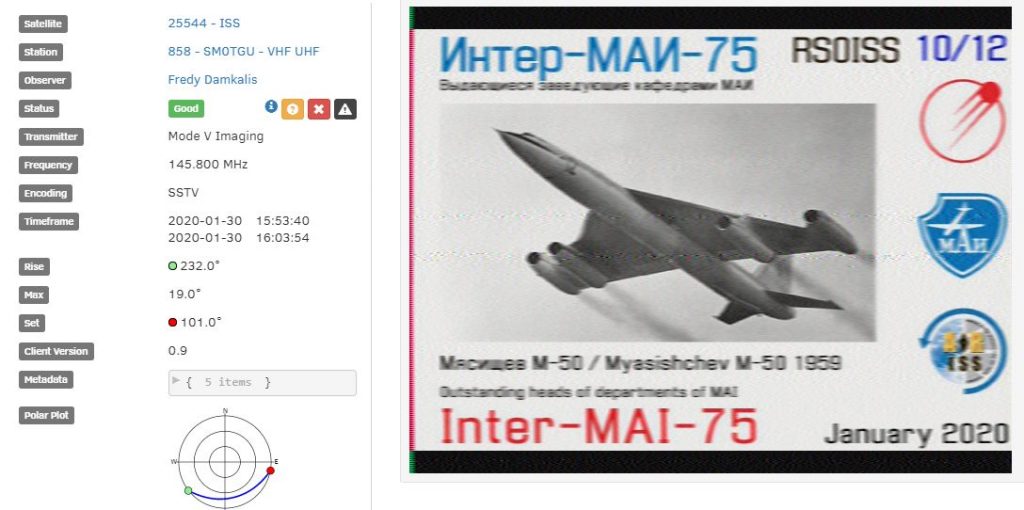
Perfect SSTV RX with #satnogs Antenna Crossed Dipole, LNA and RTL-SDR v3.
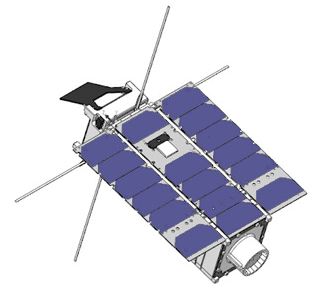
Info from ANS: The University of Washington’s HuskySat-1 3U cubesat was launched on the Northrop Grumman NG-12 Cygnus supply mission to the ISS on November 2. HuskySat-1 has remained stowed aboard Cygnus scheduled for deployment after the cargo ship unberths from the International Space Station. Unberthing is scheduled for 1435 UTC (9:35 am EST) on Jan 31 and will be covered live on NASA TV.
Within 24 hours after departure from the ISS, HuskySat-1 and SwampSat will be deployed into orbit. After deployment, HuskySat-1’s 1,200 bps BPSK beacon on 435.800 MHz should be active and decodable with the latest release of AMSAT’s FoxTelem software. HuskySat-1 is expected to run its primary mission before being turned over to AMSAT for amateur radio operation. HuskySat-1 features a 30 kHz wide 145 to 435 MHz linear transponder for SSB/CW.
HuskySat-1
———-
Uplink: 145.910 – 145.940 MHz LSB/CW
Downlink: 435.840 – 435.810 MHz USB/CW (inverting)
Telemetry: 435.800 MHz 1K2 bps BPSK
24049.00 MHz (U of Washington experimental downlink)
The latest version of FoxTelem software to decode the 1200 bps BPSK beacon is available at: https://www.amsat.org/tlm
The Fox-In-A-Box FoxTelem software has been updated for HuskySat-1 Operation at it’s download website: http://burnsfisher.com/AMSAT/FoxInABox
This release now contains the SD card image, FIAB-distro8-V1.08w.zip. This file, when unzipped and written to a 16Gb SD card will give you the latest software for FoxTelem and will run on a Raspberry Pi 4. This is an image of the same SD card that has been shipping from the AMSAT store for several weeks. (It should work on an 8Gb card as well with less room to spare of course).
Version 1.08w has a few fixes from the previous 1.08r which was the previous download version. Improvements to the decoder will capture data a bit better. Remember that the later 1.08 versions (including r and w) know how to switch bands between listening on VHF and UHF based on which of Fox and Husky satellites are overhead at the time.
(Fox-In-A-Box information thanks to Burns Fisher, WB1FJ)
The linear transponder and telemetry system carried aboard Fox-1E was designed for use in different CubeSats by merely adding an interface adapter for connection to the host bus. Noting the prevalence of CubeSats built and launched by universities and other organizations, AMSAT adopted a goal of “amateur radio in every CubeSat.” Interested CubeSat programs wanting to fly an amateur radio payload may partner with AMSAT to carry one of these modules on their spacecraft. By providing amateur radio capability, the CubeSat program gets a worldwide ground station network to receive their telemetry and experiment data while the amateur radio community gets a transponder to use in orbit.
Additional information is posted on the University of Washington Husky Satellite Lab pages:
https://sites.google.com/uw.edu/huskysatellitelab/huskysat-1
https://sites.google.com/uw.edu/huskysatellitelab/huskysat-1/com1
[ANS thanks the HuskySat-1 Team, AMSAT Engineering, AMSAT Operations, the Fox Telemetry Team, and NASA for the above information]
This is a short guide how to create a simple batch file for Windows for downloading the latest kepler element before starting a satellite application. In this exemple, I am downloading kepler before starting the program GetKISS (by DK3WN).
First, create the .bat-file in a text editor and name it, for example, getkiss_starter.bat
The secret is to use the Windows program bitsadmin for downloading from web. Modify the folder path after your needs:
Then, start GetKISS with the file getkiss_starter.bat and you will always have the latest kepler!
Good news!
Thanks to an initiative by Heimir, W1ANT,  AMSAT added Application
Programming Interfaces (APIs) to the AMSAT web site to make it easy
for developers to write apps for mobile devices and the Internet of
Things (IoT).  For example, the satellite status page
www.amsat.org/status does not work well on small screens.  By
accessing the status data directly developers can easily present the
data in a way appropriate for their screens.

These APIs also make it easy for IoT homebrewers to do things like
build next pass reminder gizmos so they can beep out notices in CW.
The developers have set a goal of February 15, 2020 to finalize the
APIs, and consider them operational on March 1, 2020.   Developers
are encouraged to send suggestions or questions to
www.amsat.org/webmaster-contact/   For details of API use
visit www.amsat.org/status/api/ and www.amsat.org/track/api/

[ANS thanks Joe Fitzgerald, KM1P for the above information.]