Update 2026-02-23:
AnyTone has release the D890UV HT full duplex radio that is reported to work fine with U/V V/U satellites.
Update 2025-11-08:
Unfortunately the manufacture I had a discussion with will not produce a full duplex HT with better filters.
Update 2025-08-30:
Three (3) out of 12 manufactures sent me an answer. One of these I will continue to work with. I can not give any more information at the moment, but stay tuned for updates.
Many of us in the AMSAT community is waiting for a new handheld radio with full duplex FM capability. AMSAT-SM group in Sweden has sent an open letter (e-mail) to the following amateur radio manufacturers:
- Icom
- Kenwood
- Yaesu
- Alinco
- Baofeng
- TYT
- Wouxun
- Retevis
- AnyTone
- QYT
- Radtel (added 2025-08-17)
- Verotelecom – (added 2025-08-18)
And the letter/e-mail:
Open Letter from the AMSAT-SM Group in Sweden to Amateur Radio Manufacturers Regarding the Development of a Full Duplex Handheld Amateur Radio
Dear Sir or Madam,
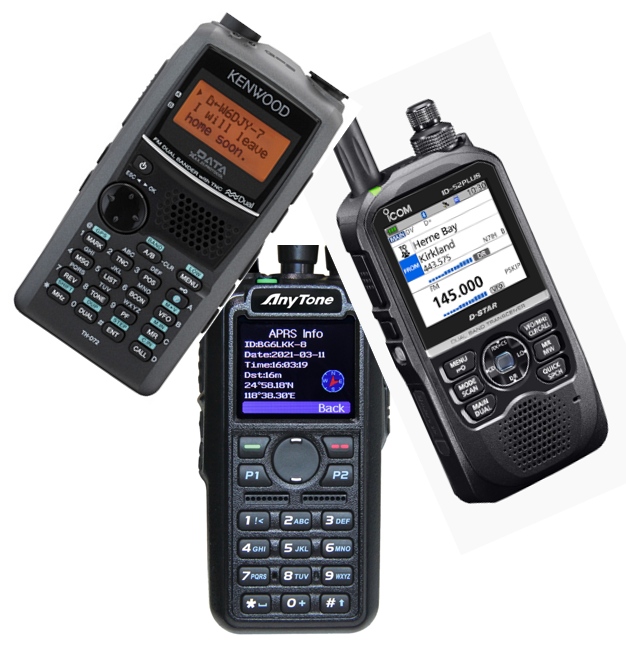
In recent years, we have seen the release of many new handheld amateur radios from both established manufacturers such as Icom, Kenwood, and Yaesu, as well as from newer, smaller manufacturers, often based in China. These radios frequently include advanced features such as VHF/UHF FM operation, APRS, TNC, USB-C charging, GPS, Bluetooth, and more.
However, one key capability is consistently missing: true full duplex operation – the ability to transmit on one band while simultaneously receiving on another, without desense. For example, transmitting on VHF while receiving on UHF, or vice versa.
We at AMSAT-SM believe there is a significant and growing market for such a radio among amateur radio operators worldwide. A particularly important group consists of operators who use amateur radio satellites, for whom full duplex operation greatly enhances communication and usability. These operators are also prepared to pay a premium for a handheld with this functionality. At present, no current handheld model offers full duplex capability. Instead, many satellite operators rely on discontinued radios such as the Kenwood TH-D72.
We therefore respectfully request the development of a new handheld amateur radio with true full duplex capability between VHF and UHF (e.g., transmit on 145 MHz and receive on 435 MHz without desense, and vice versa).
Additional features to support satellite operation would also be very welcome. For example, the AnyTone AT-D878UVII includes satellite tracking functions, but unfortunately lacks full duplex capability.
We strongly believe that a handheld radio with these capabilities would be highly valued by the amateur radio community and represent a unique opportunity for any manufacturer willing to take the lead.
Sincerely,
AMSAT-SM Group in Sweden
via Lars Thunberg, SM0TGU
www.amsat.se
https://x.com/amsat_sm
If a company respond, these are the requirements that I will give them:
Most prioritized specifications – needed to make the radio possible to use:
- Frequency bands involved for full duplex are VHF (144–146 MHz) and UHF (430–440 MHz). Both Analog FM
- Extended filtering needed between VHF and UHF band with sharp and good filters (low-pass/high-pass or band-pass or a combination)
- It should be possible to transmit on one band and at the same time receive on the other band without any desense (the transmitted signal cannot block the received signal).
For example, transmit on VHF and at the same time listen on UHF. Or transmit on UHF and at the same time listen on VHF.
- It should be possible to use both VFO and memory channels with full duplex. Or a combination between VFO and memory channel. For example, it should be possible to transmit on a VHF memory channel and receive with UHF VFO so the user is free to change the memory or VFO during a contact. In detail:
- Possible to transmit on VHF memory channel and receive with UHF VFO
- Possible to transmit on UHF memory channel and receive with VHF VFO
- Possible to transmit with VHF VFO and receive on UHF memory channel
- Possible to transmit with UHF VFO and receive on VHF memory channel
- Possibility to transmit CTCSS (Subtone)
- Connectors for Mic/Earphone so it should be possible to use a headset
- Robust antenna connector. The handheld radio will probably be used in portable situations with an external handheld antenna (like the Arrow yagi) and will have a coaxial cable connected instead of the small supplied rubber antenna. So it is important that the antenna connector will not break easily.
- USB-C charging with DC input for easy use of standard chargers for charging the battery or powering the handheld directly if the battery is drained
- 5 watt max output with possibility to choose lower output
- Implement energy saving functions so the battery will last longer. Or just make a good design for decent battery life.
- All other standard features you already have implemented in your amateur radio handhelds, and make it easy to change the settings
Also wanted features – nice to have but not first priority:
- APRS functions with GPS (look at the Kenwood handhelds)
- Implement Bluetooth to be able to connect wireless headset
- Implement computer connection via Bluetooth to be able to program the radio (memory channels etc.) via a computer or mobile phone app
- Implement the CAT protocol via Bluetooth to simulate a COM port. If so, it would be possible to connect the handheld wirelessly to a computer, making it possible to adjust the frequency for the Doppler effect caused when the satellite is moving very fast in space. Many radio amateurs that are using satellites for communications use computer software for adjusting the VHF and UHF continuously during a contact. The CAT protocol is a standard and implemented in many amateur radio rigs, also by new manufacturers, and there is much software ready to use today.
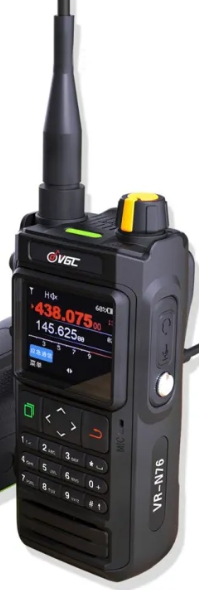
What I know of today is that at least one manufacturer has implemented an app that can adjust frequency for Doppler correction, the VR-N76. Please see this link:
https://www.verotelecom.com/VR-N76-Dual-Band-Handheld-Radio-p2511333.html?parent_user_id=18403738&utm_source=sns_share&utm_medium=share_url
But this requires a lot of software development from you as manufacturer. A much better solution is to implement the CAT protocol so the user can choose software of their own.